03 / Enrich
Fills every column, with a source.
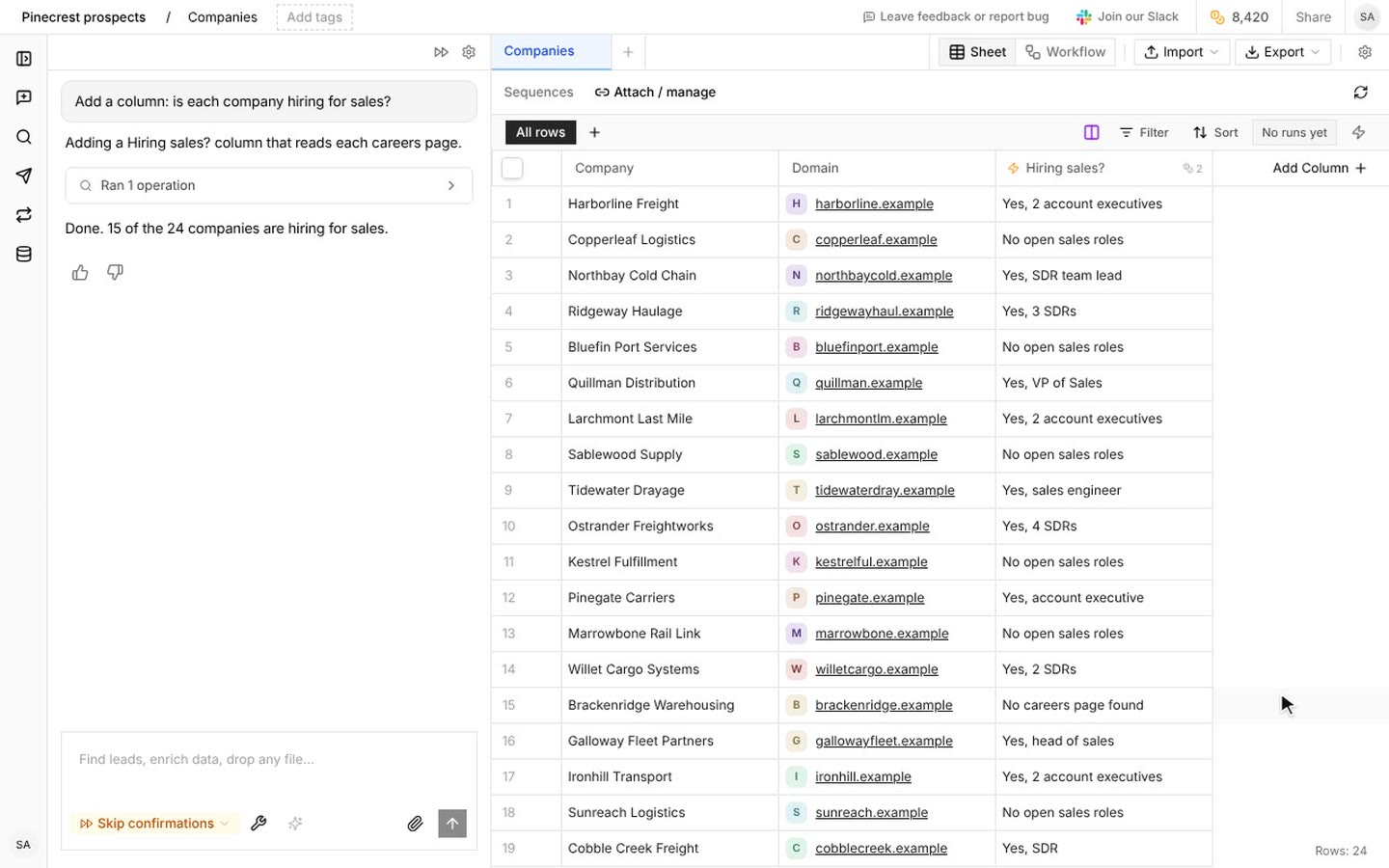
Each column is an AI agent: revenue, CEO, CRM, verified email. Every value links to where it came from. Empty beats guessed.

How it works
Every data point, from a live source.
A value with no source stays empty. Figma's CEO email had none, so that cell is blank.
- 01
Upload a list or describe one
Paste a CSV, connect a Google Sheet, or describe the companies. Then say what you need: “revenue, headcount, tech stack, and the VP of Sales email for each company.”
- 02
Firmographics, technographics, contacts
Revenue, headcount, industry, HQ and founding year. Every tool in the stack, from CRM to cloud. Work emails and direct dials from multiple waterfall providers.
- 03
Live sources, not a stale database
The agent pulls from LinkedIn, company websites, job boards, SEC filings, news and tech detection at the time you ask, and cross-references what it finds.
- 04
A CRM that stays clean
On a schedule, it checks for fuzzy duplicates, field mismatches, deals with no contacts and conflicts between enrichment sources. It reads everything and writes only when you approve.
Ask it like this
Enrich this list of 200 companies with revenue, headcount, and industry
Find the VP of Sales email and LinkedIn for every company on my sheet
After every Clay import, check for duplicate contacts with the same name and company but different emails
In the product
What it runs on
Every column, and where it looks.
Work email
A waterfall: BetterContact first, then Findymail, each address checked by ZeroBounce, with People Data Labs as the fallback.
Phone
A direct dial, charged only when one is found.
LinkedIn profile
Matched from a name and checked by a model, or found from an email address.
Person and company records
Title, company, size and the rest, from a B2B database.
AI columns
Extract a fact, write a line, or research a question for every row, from the row's own data.
What it costs
Priced per result, in credits.
A credit costs $0.002 on the $20 Starter plan (10,000 credits) and less on larger plans. New accounts start with 2,000 free credits.
See plans| Action | Credits |
|---|---|
| Work emailOnly when one is found | 25 |
| Phone numberOnly when one is found | 250 |
| LinkedIn profile from a name | 2 |
| Person or company recordOnly when found | 1 |
| AI column10 for deep research | 1 a row |
Questions
Am I charged if no data is found?
No. You're only charged when we successfully return data. If we can't find an email or phone number, you don't pay. All emails are verified before delivery.
How do I know a value is right?
Every value links to where it came from. When nothing reliable is found, the cell stays empty instead of guessing.
Does it write to my CRM?
It connects to HubSpot, Salesforce and Attio. It reads everything, and it only writes when you approve.

Your next customers are already out there.
Tell us who you are looking for. Orange Slice finds them, fills in the facts, and reaches out.
Start free. Grow when it works. See pricing